Keeping your details current matters: invoices, renewal notices and security alerts all go to the address on your account.
Your details
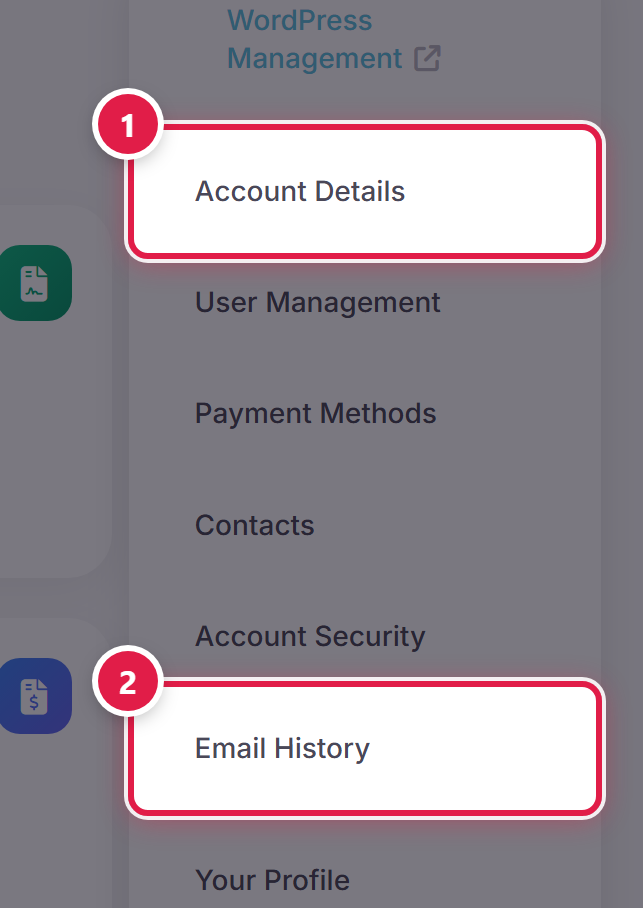
Open the account menu at the top right of any page and select Account Details.
Update what you need and select Save Changes.
Which emails you receive
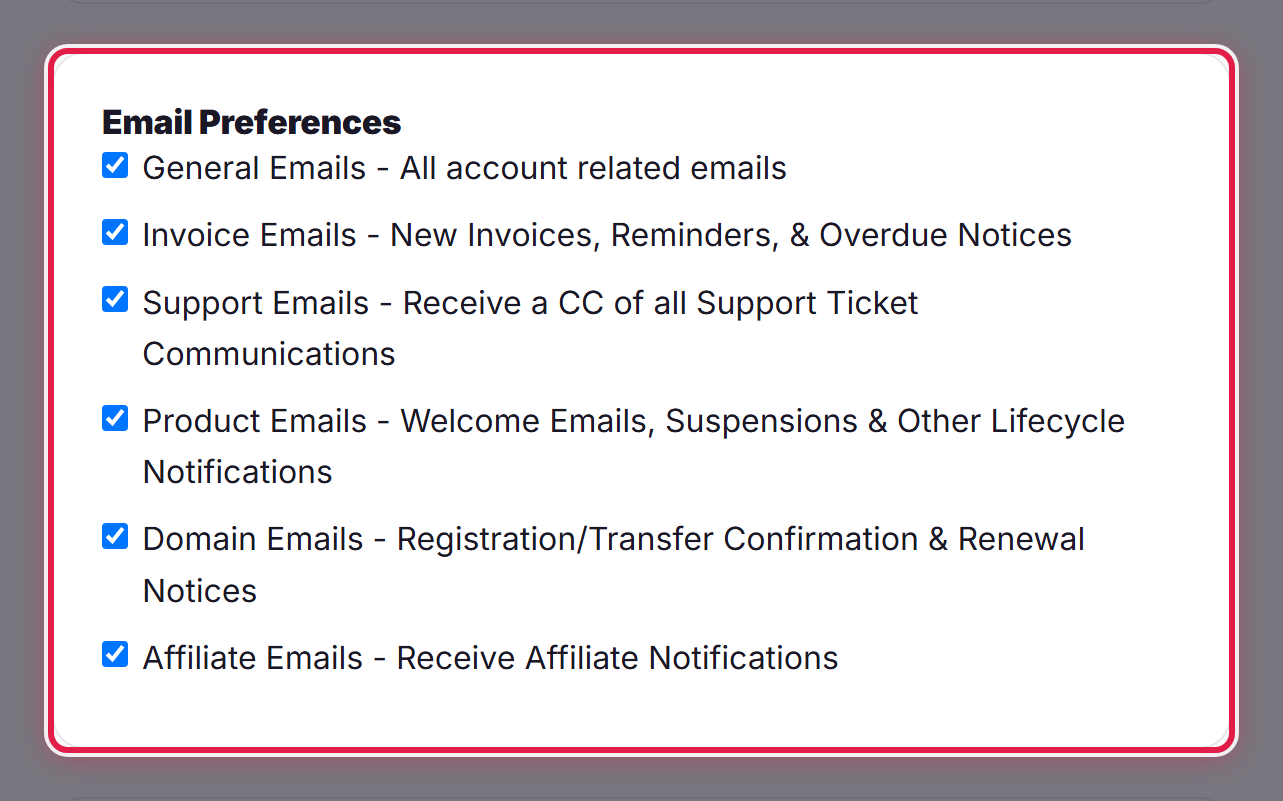
The same page lets you choose which categories of email you get. Some messages, such as security notifications, are always sent.
What we have already sent you
Select Email History from the account menu to read any message we have sent to your account. It is worth checking there before asking us to resend something.
